***This is only for just moving Pdata, but SQL is staying where it is currently located
1. Copy Pdata to new location
2. Check Regedit, confirm the server path is pointing to the local installer (Computer\HKEY_LOCAL_MACHINE\SOFTWARE\Sirona\SIDEXIS4\Provisioning)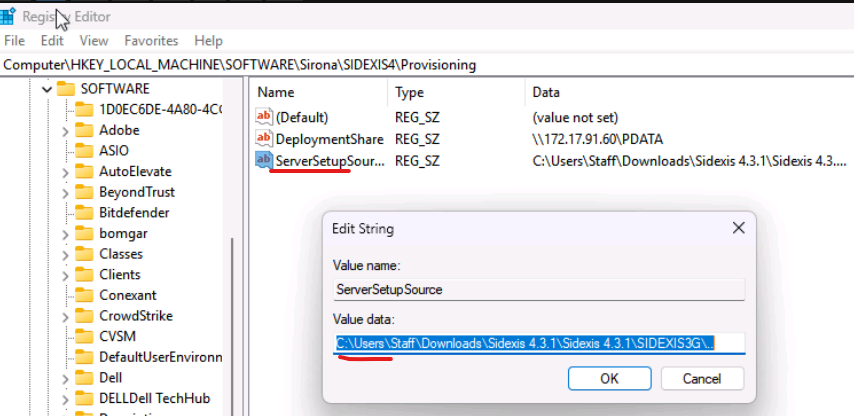
3. Launch the Server Provisioning Wizard from SQL PC
"C:\Program Files\Sirona\SIDEXIS4\Installation\Provisioning\ServerProvisioningWizard.exe.config"
4.Click Next>Next> Select Media Share is Location on a different computer> enter Pdata path or hostname/IP of machine.
5.Let Provisioner finish running, select Apply once all checks are completed. (if option to use PC as workstation as well select yes)
6. Rename the old Pdata folder to “PdataOLD” or remove the folder once confirmed Sidexis is working and no data appears missing.
**On workstations PCs where Sidexis is installed
1. Open REGEDIT and navigate to Computer\HKEY_LOCAL_MACHINE\SOFTWARE\Sirona\SIDEXIS4\Provisioning\ Check for DeploymentShare, modify to updated Pdata location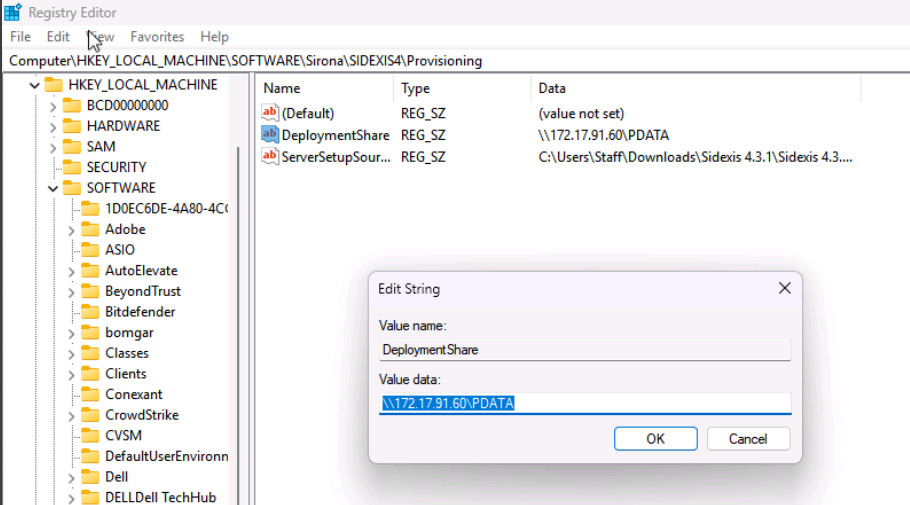
2. Open File Explorer, navigate to C:\Program Files\Sirona\SIDEXIS4\MediaShare.config.
Edit the file in notepad, update Pdata path to new location
3. Run client provisioning C:\Program Files\Sirona\SIDEXIS4\Installation\Provisioning\ClientProvisioningWizard.exe
4. Once completed, Launch Sidexis and confirm it is opening, and update the Mailbox file path.
Open Sidexis > General Settings > Multistation > Update to new Pdata path.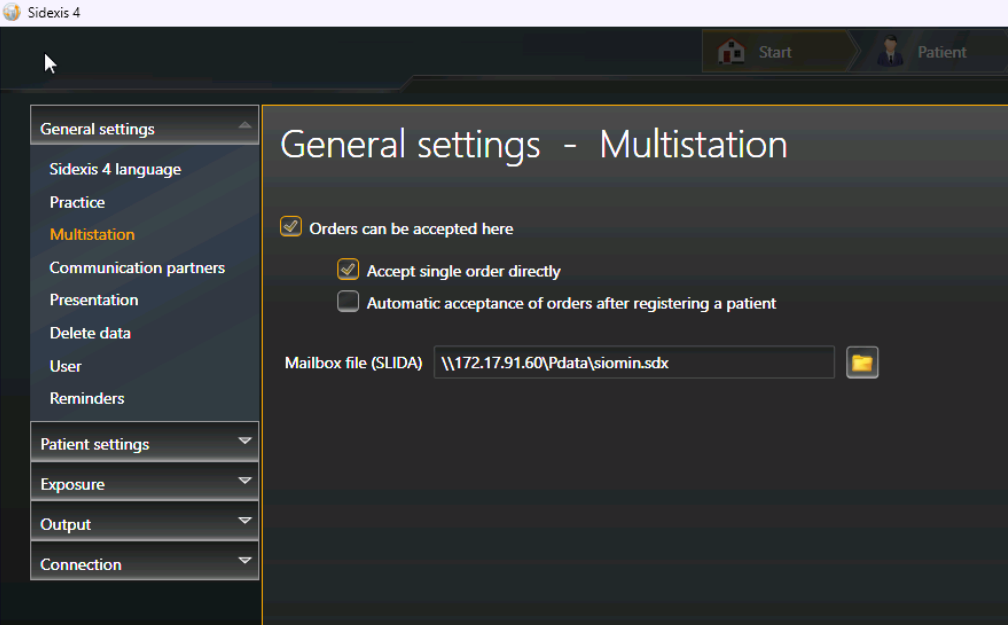
|
Rate this Topic:
|
|||
|
